



Kanban, continuous flow and WIP
Customize the workflow, limit Work in Progress, expose bottlenecks and keep delivery moving.
Keep work flowing with Kanban, WIP limits and well-defined sprints. Schedules, dependencies, estimates, effort, hours and insights work together, with a dedicated space for clients to follow every stage.
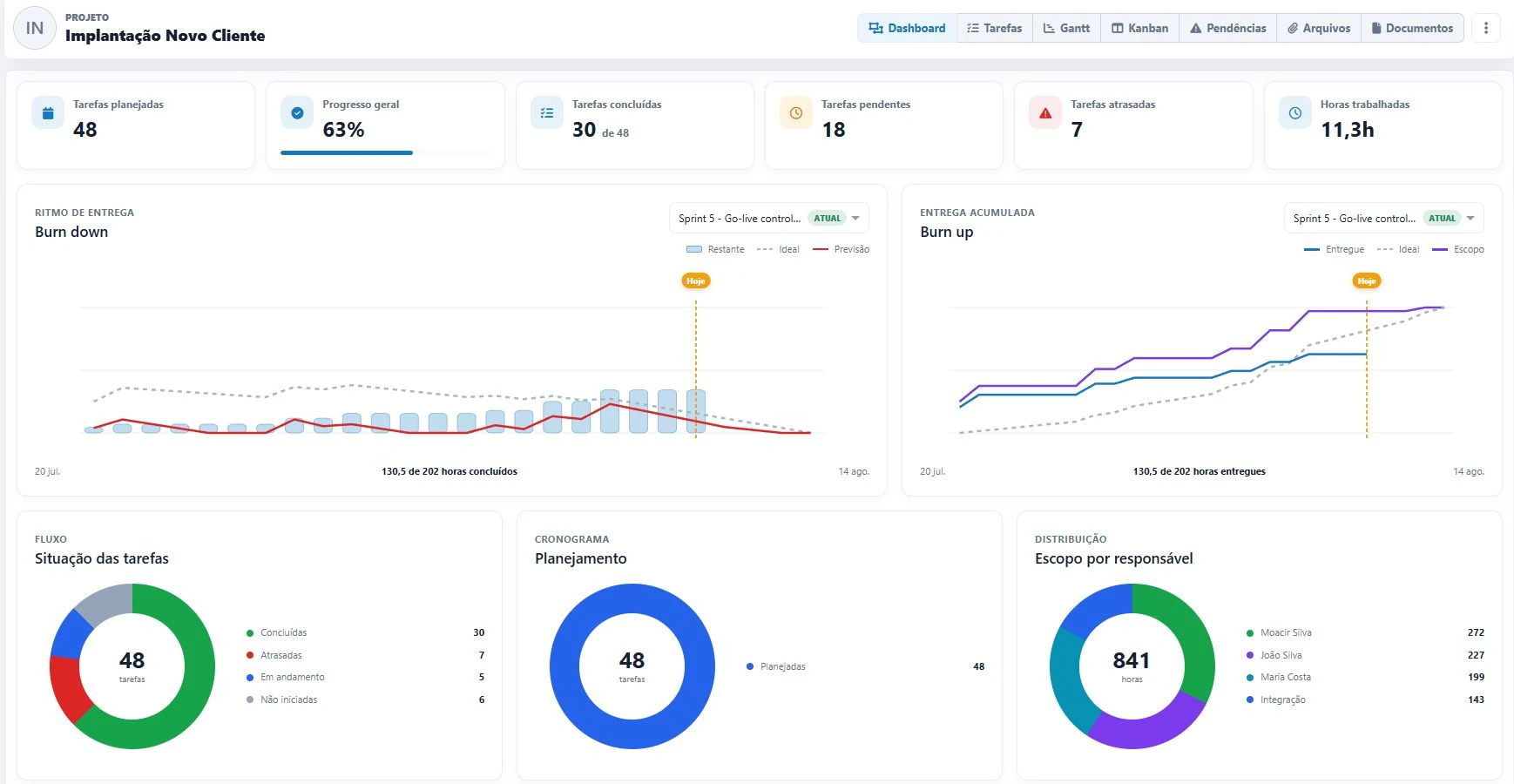
New Client Implementation
Keep work flowing, organize delivery cycles and connect capacity, effort and deadlines to make clear decisions.
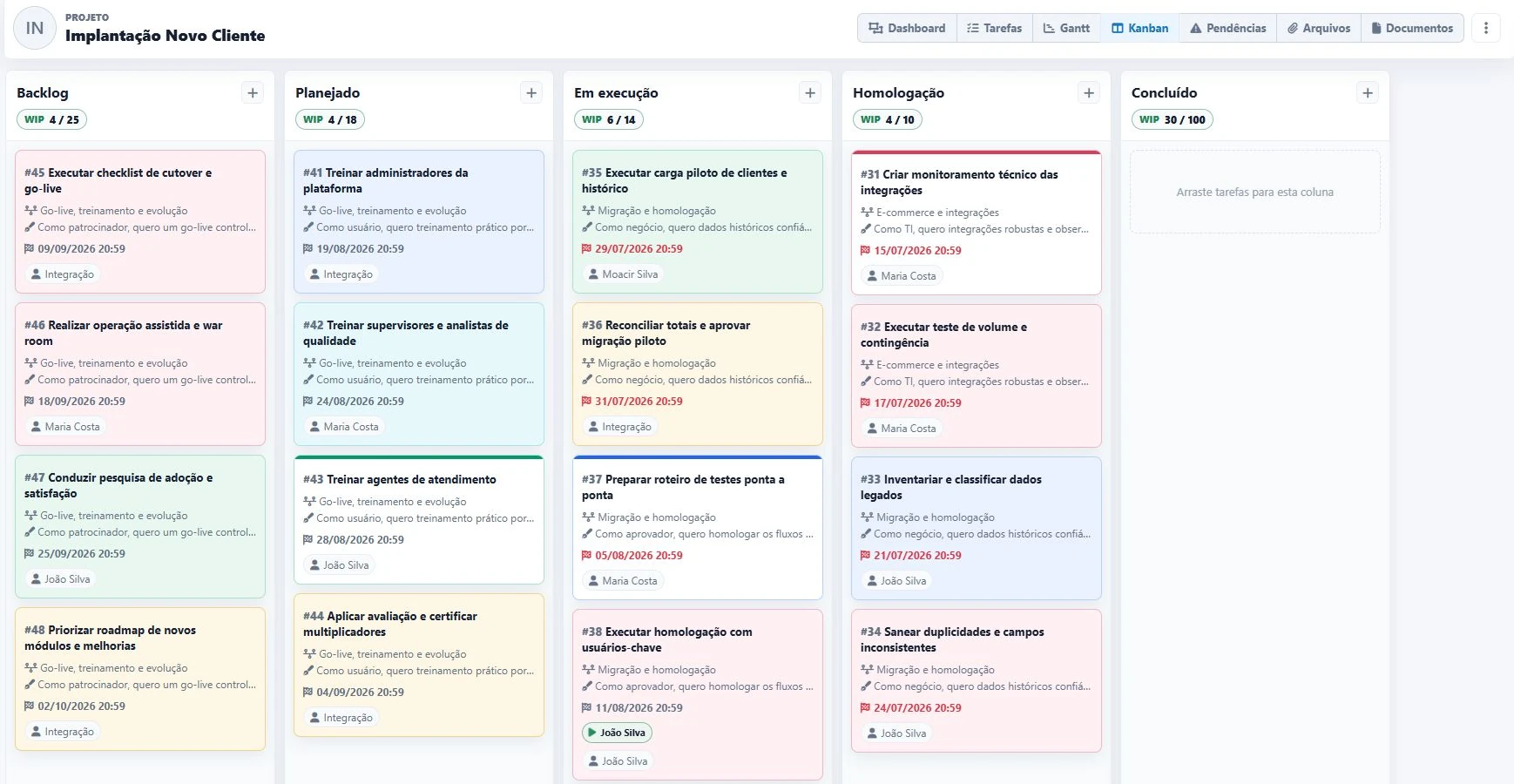
Customize the workflow, limit Work in Progress, expose bottlenecks and keep delivery moving.
Plan goals, control start and finish dates, follow the current sprint and keep a history of every cycle.
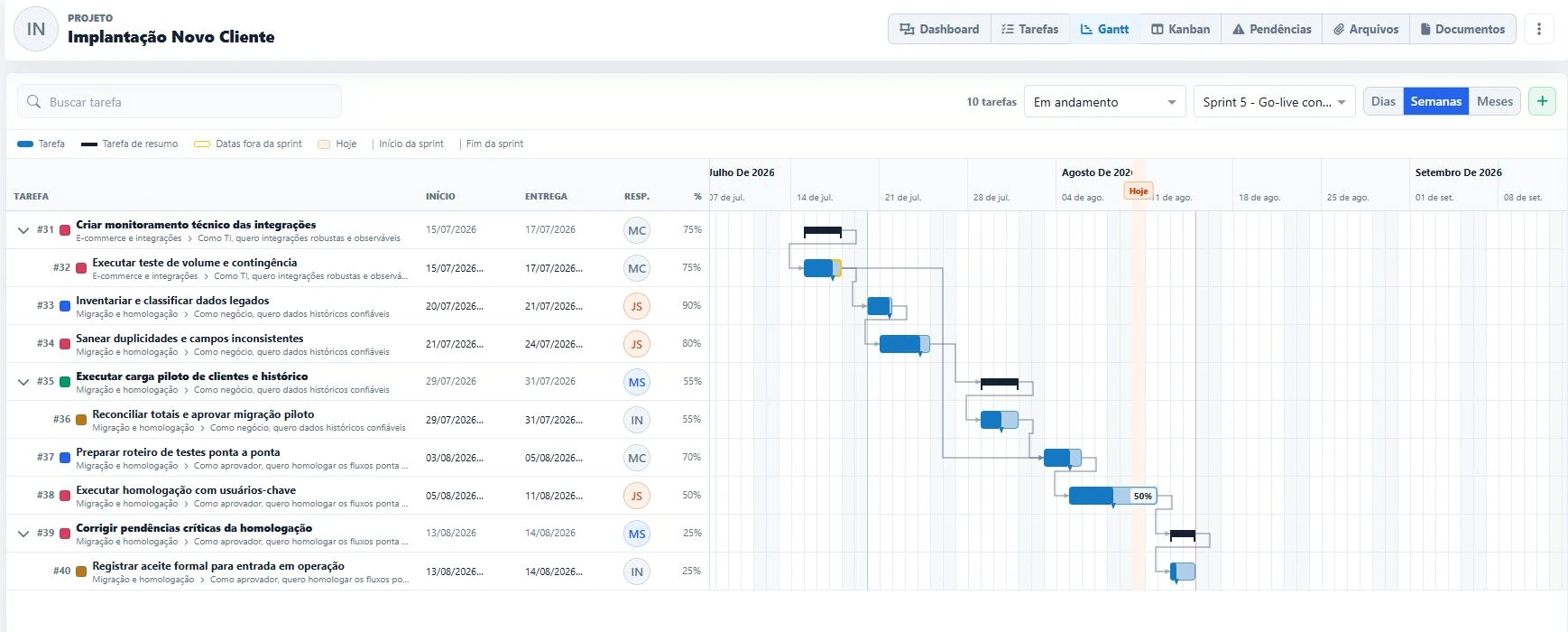
View dates, progress, milestones and dependencies by day, week or month.
Estimate in hours, days, story points or a Fibonacci scale. Compare effort and hours.
Structure the backlog with hierarchy, subtasks, labels, checklists and owners.
Create task dependencies and see blockers before they affect delivery.
Track burn down, burn up, progress, delays, distribution and team pace.
Reuse structures, standardize labels and automate recurring workflow actions.
Team members have project-specific access profiles and autonomy to grant the right level of information access.
Visualize every stage, pull work according to capacity and use WIP (Work in Progress) limits to reduce overload, expose bottlenecks and accelerate flow.
Adjust dates, estimates and progress directly on the timeline and follow delivery sequencing without parallel spreadsheets.
 Predecessor
Successor
Predecessor
Successor
Organize the backlog around larger goals and user stories. See the complete hierarchy, find every delivery quickly and keep the team aligned with the value to be delivered.
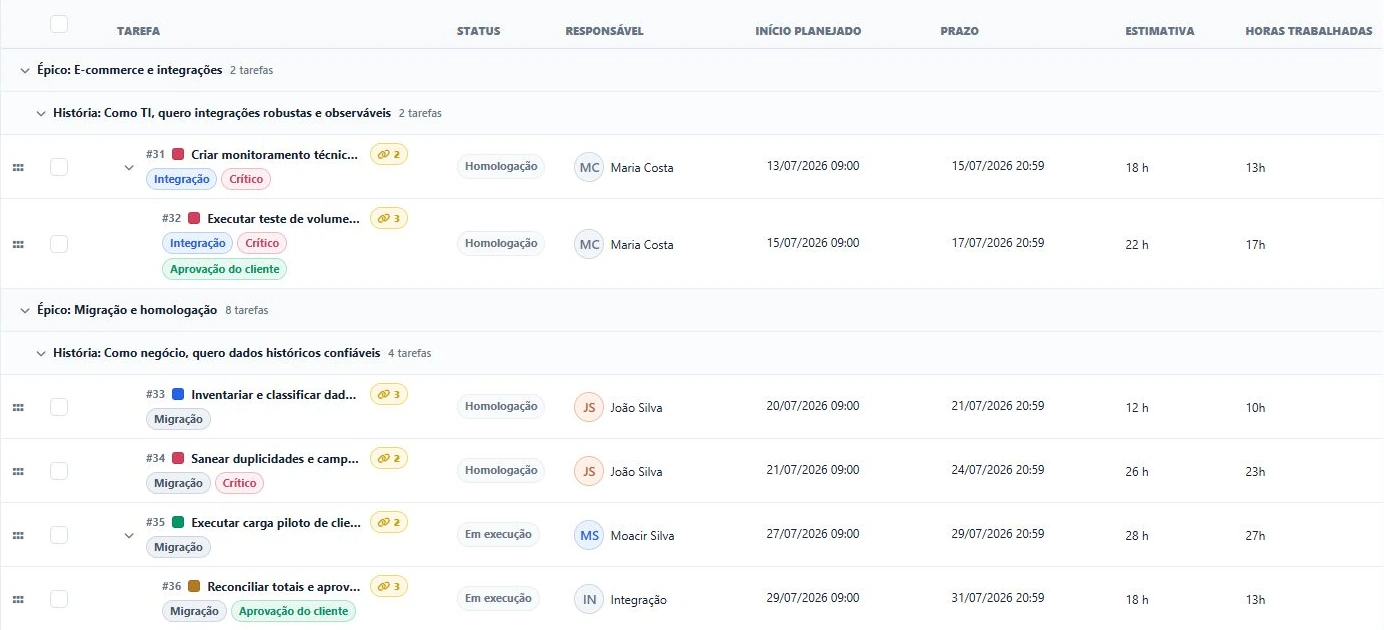
Dependencies are not limited to the schedule. In the task list, teams identify linked work, highlight relationships and navigate between predecessors and successors with one click.
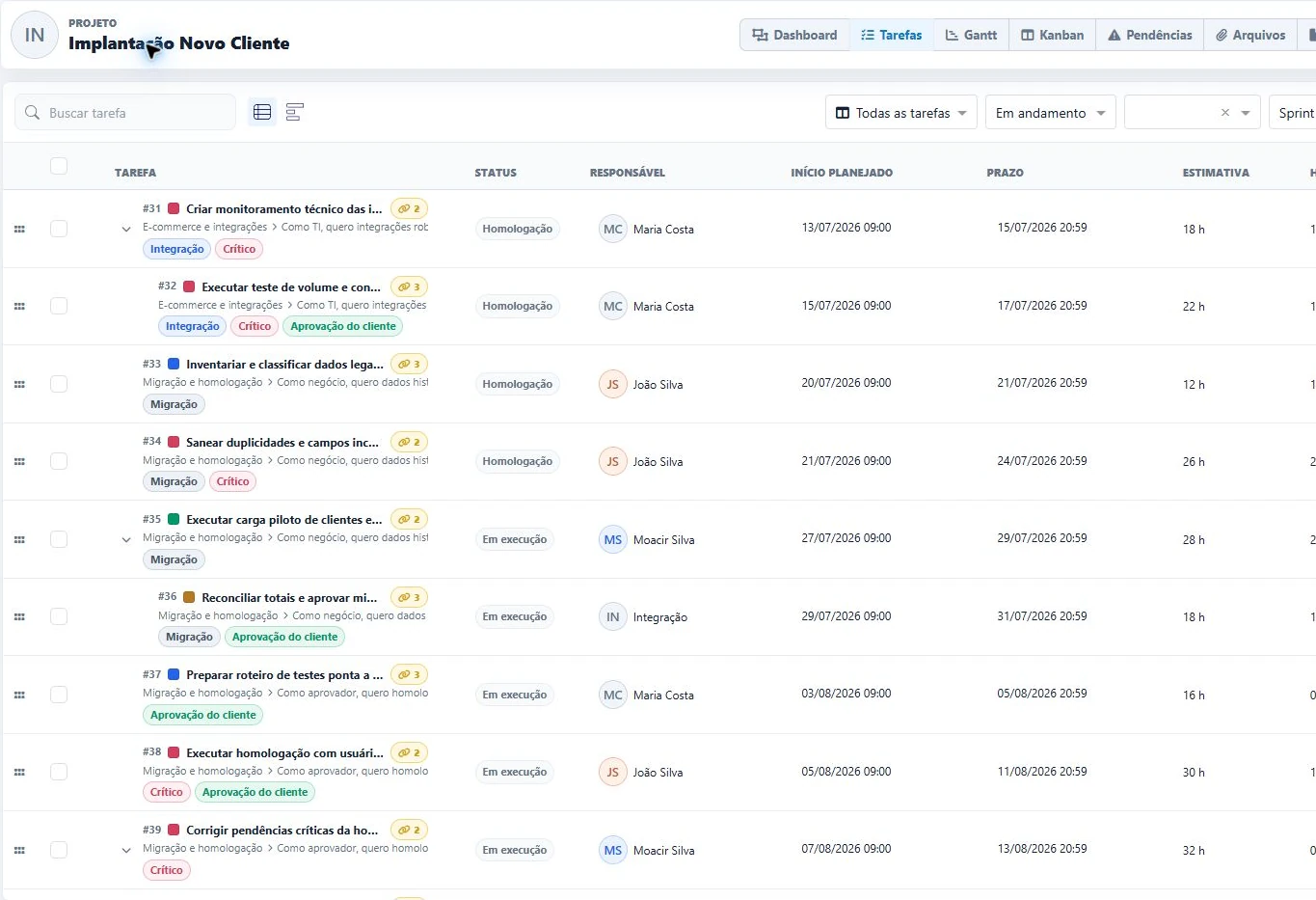
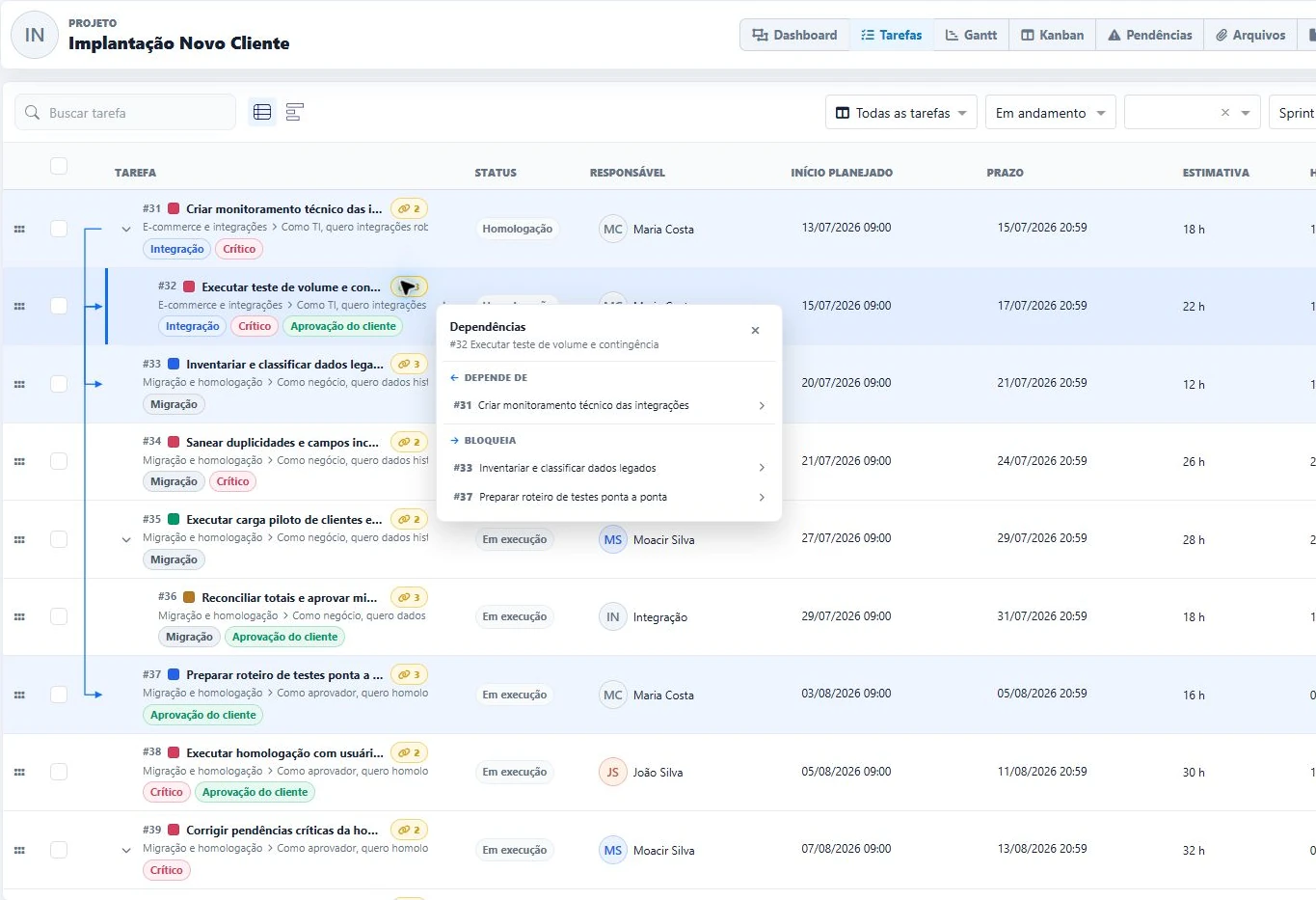 Dependencies and blockers just one click away
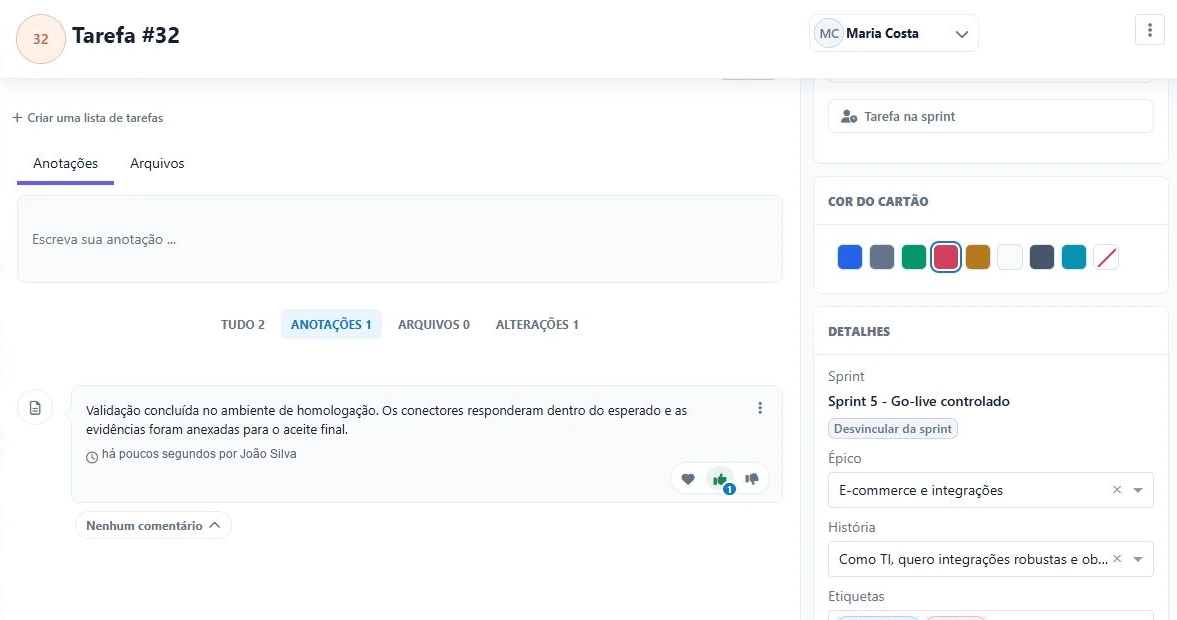
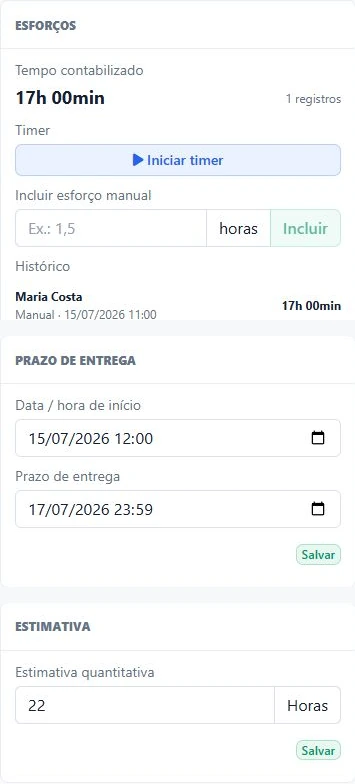
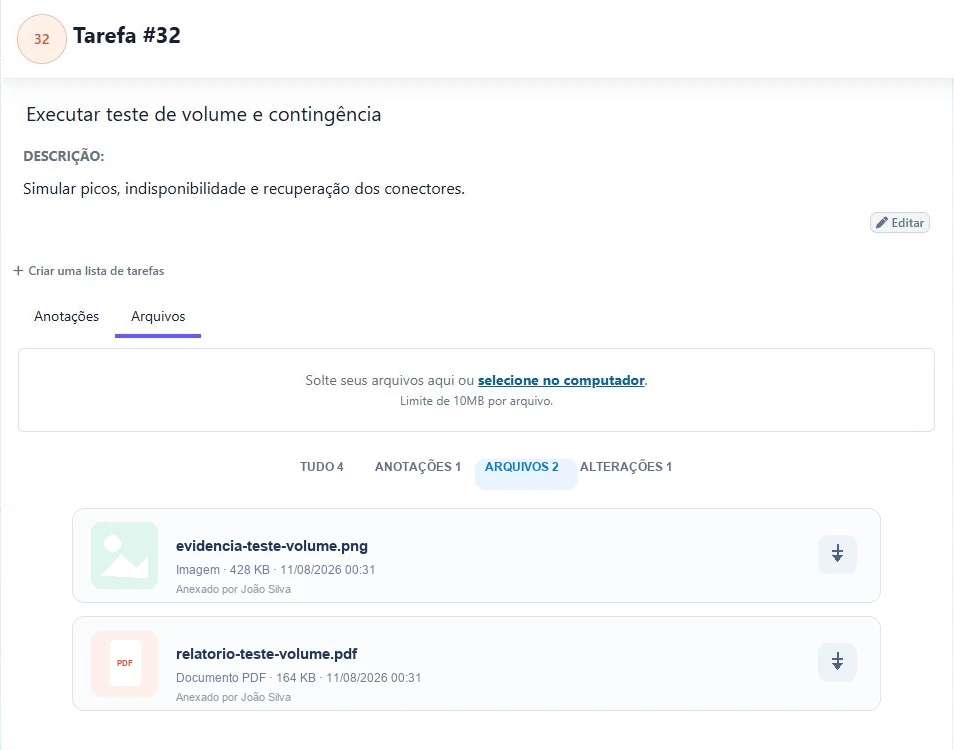
Every task brings together the context needed to execute, collaborate and compare planned work with actual results while preserving history.
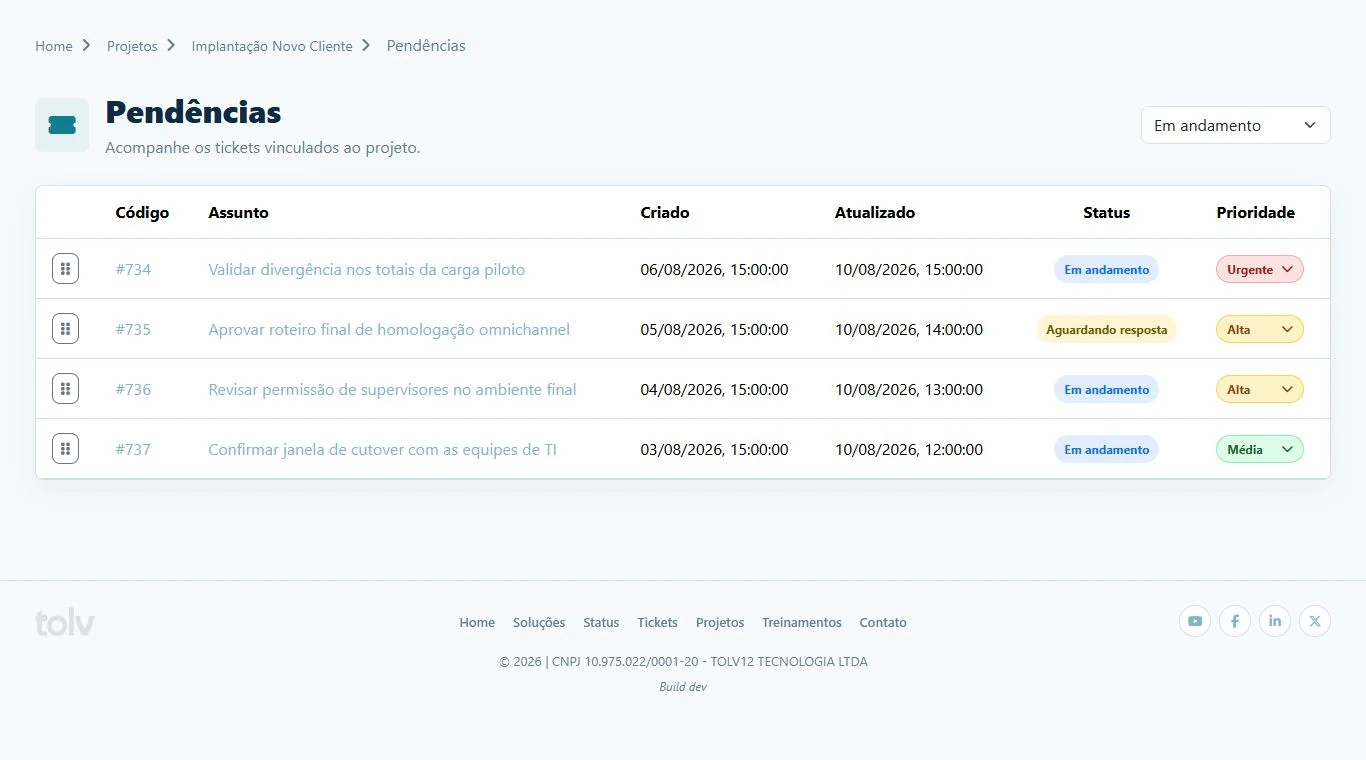
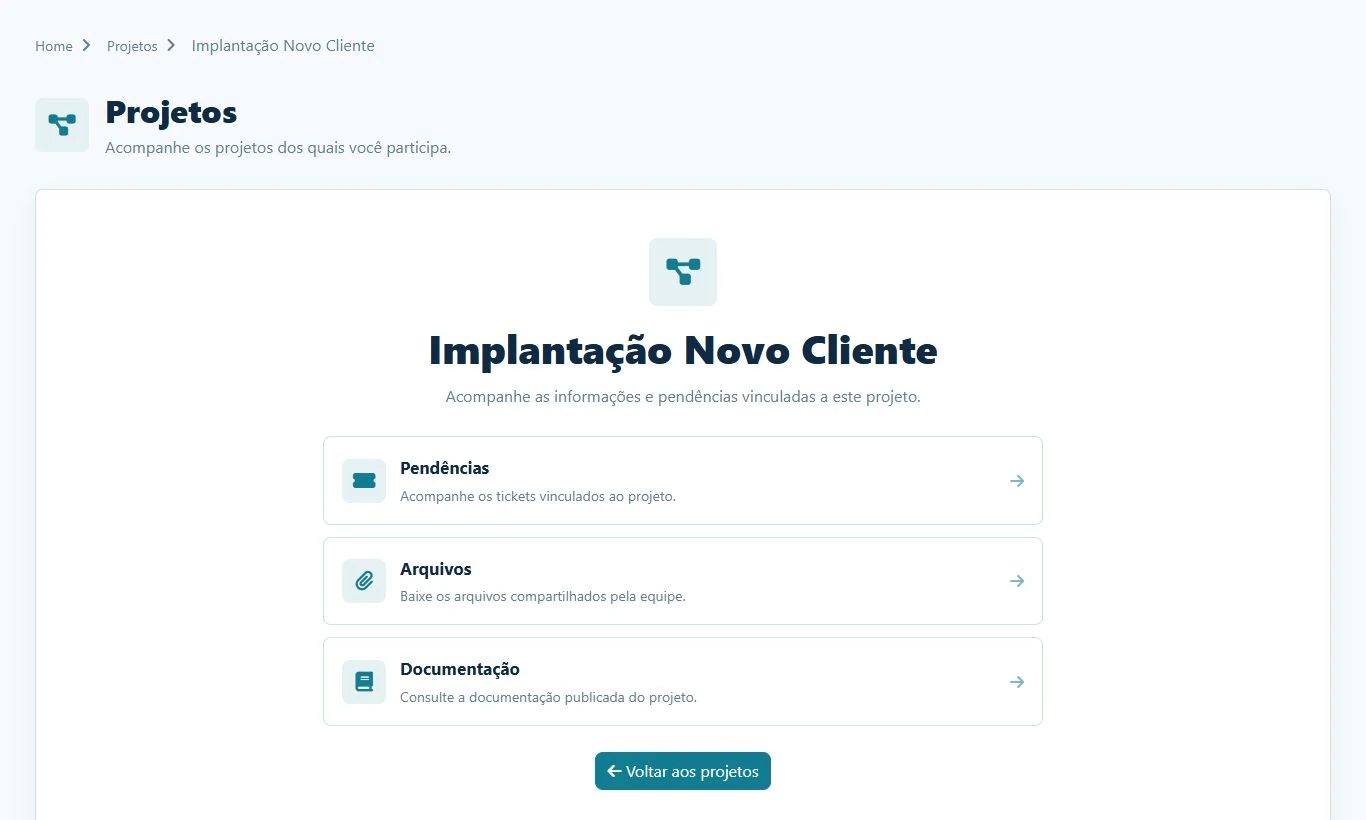
Projects connects directly to the Client Portal. Each authorized contact gets a secure area to track issues, approve deliveries, talk to the team and access published materials.
The Client Portal brings every operational touchpoint into one experience. Each person signs in with their own username and password through a custom address protected by SSL/HTTPS.
Learn more about the Client PortalClients track project tickets, set priorities and create requests in the same context.
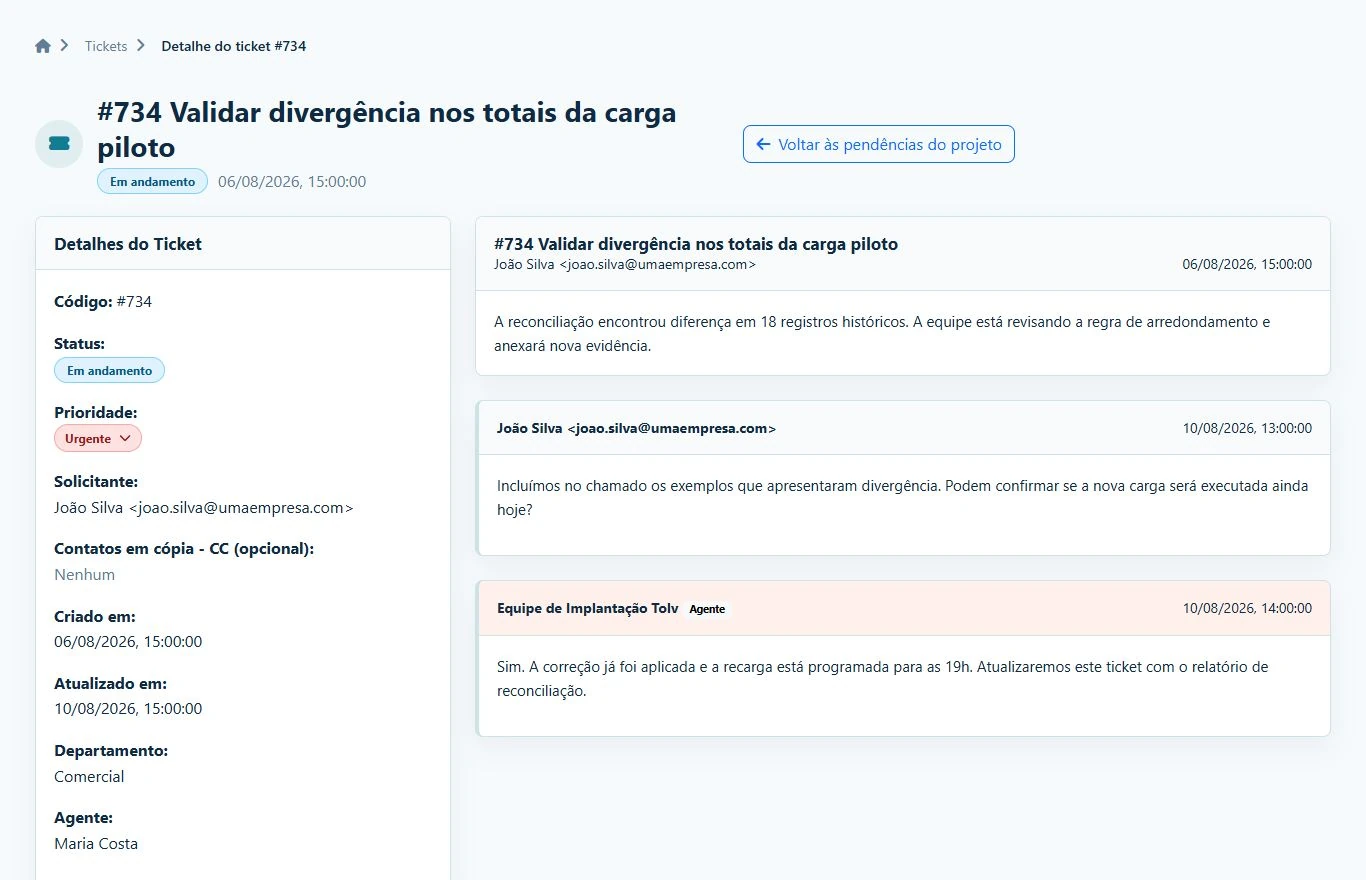
Clients and teams talk inside each issue, preserving history, authorship and decisions.
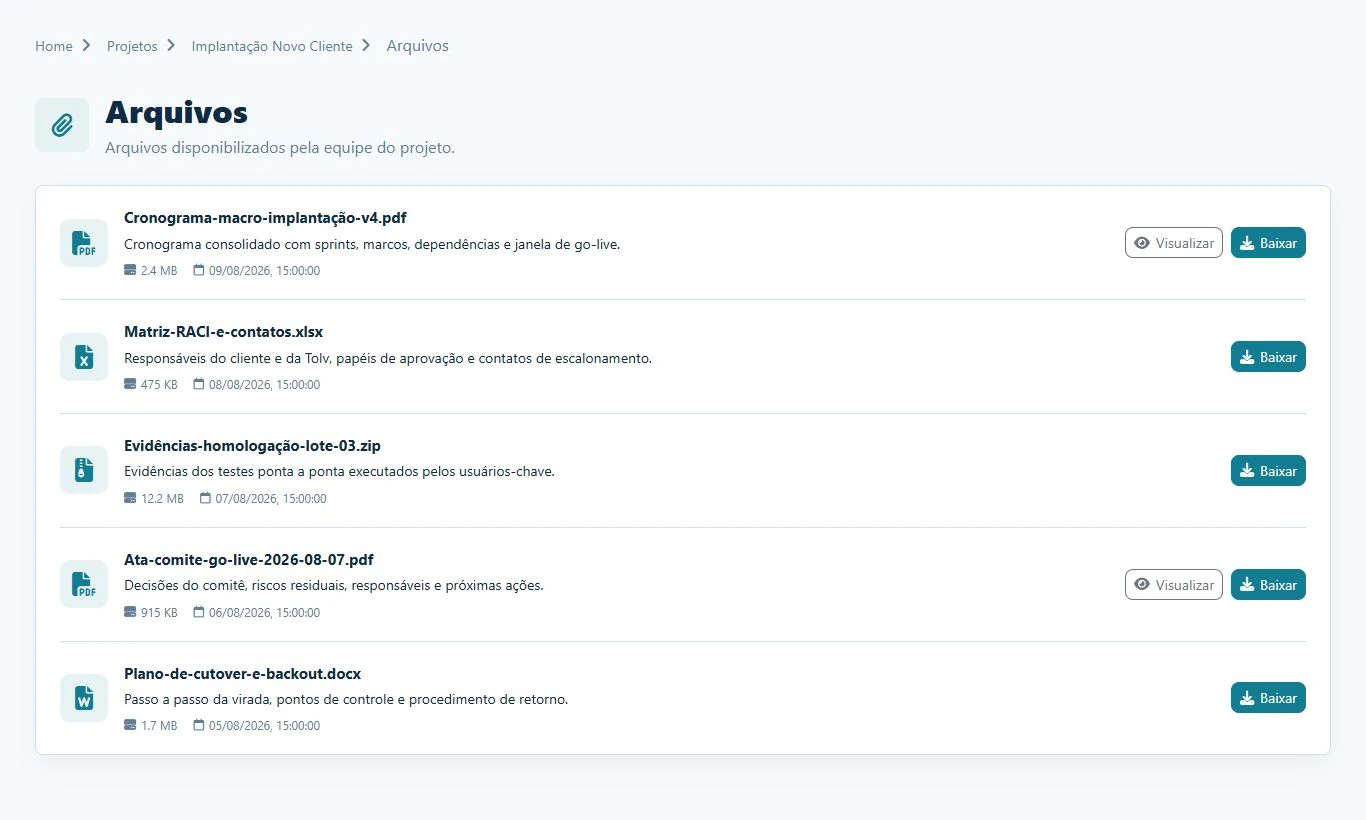
Share minutes, schedules, spreadsheets and evidence with comments and visibility controls.
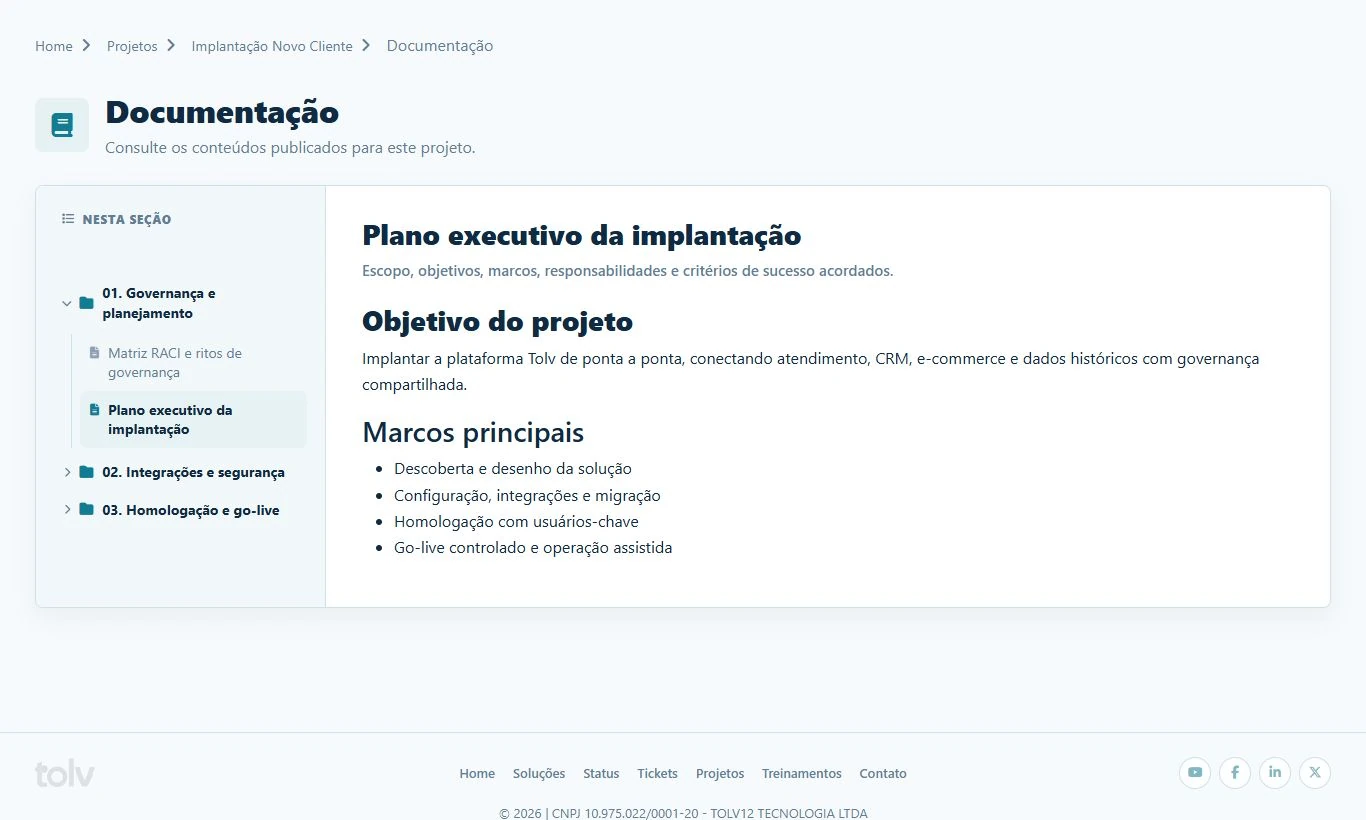
Organize content into folders and publish guides, plans and acceptance criteria in the portal.
Give your team operational control and clients the transparency to decide, approve and follow every delivery.